PokeSurvivor is a free, fan-made Pokémon survival game by JPTER78. Instead of a turn-based battle, you move through a live arena while your partner attacks automatically. Your job is to make room, keep moving, and adapt as the screen gets busier. PokeSurvivor mixes a familiar cast with the pressure of a survivors-style run.
This independent page puts the original PokeSurvivor game right above the guide. Press Play to load the creator-hosted version in place, then use the controls nearby. The game runs on the original site; we do not operate its accounts, matchmaking, or saves. For longer sessions, the fullscreen button gives the arena more breathing room.
The original creator describes PokeSurvivor as having a large playable roster, permanent upgrades, missions, and cooperative play. You do not need to understand all those systems before your first run. Start with one partner, learn how movement affects your safety, and explore the menu after a short attempt. There is no download required for this browser version.
Original pixel illustration · a little adventure, not a game screenshot
Your first PokeSurvivor run.
PokeSurvivor starts with a short introduction to your partner. These are real screens from a fresh guest session, so the first steps should feel familiar when you open the game.
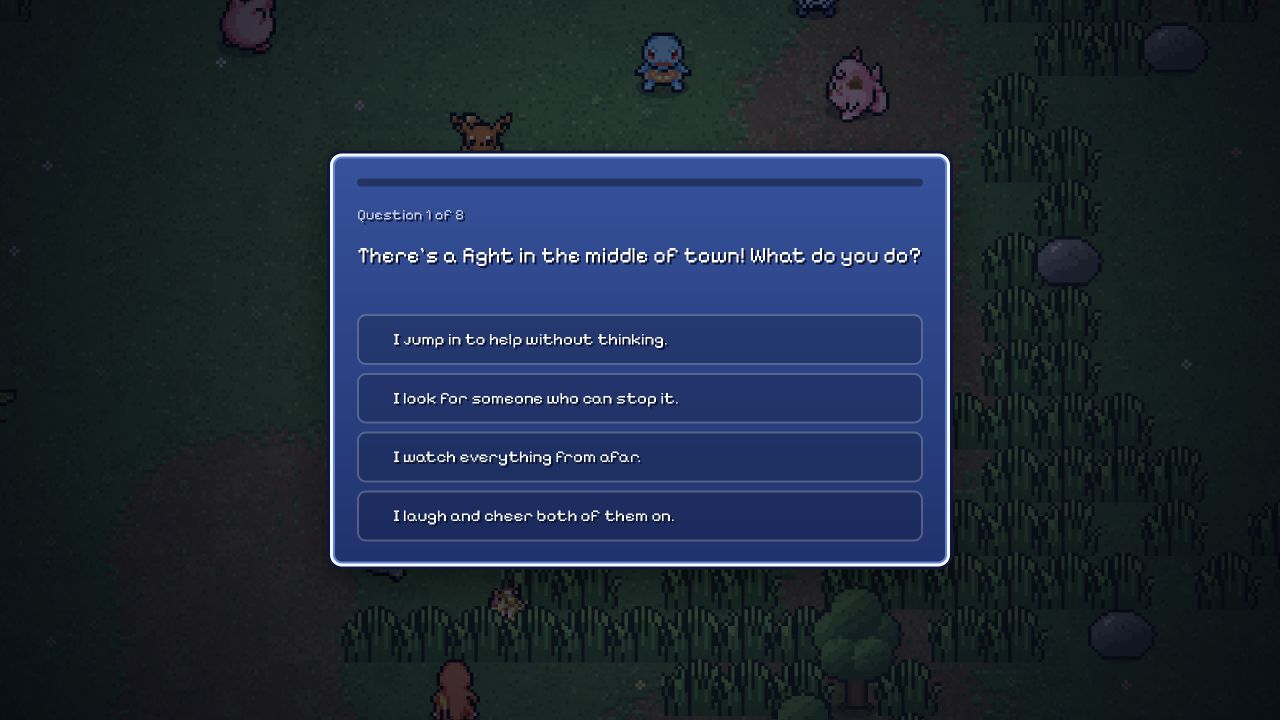
The PokeSurvivor personality quiz · actual screen
1Find your starting partner
Inside PokeSurvivor, press to start and choose Play as guest to try the game. A short personality quiz recommends a starter. Read the questions and follow the prompts; the recommendation is a starting point, not a competitive ranking. This walkthrough uses Bulbasaur, but your answers may lead to another partner.
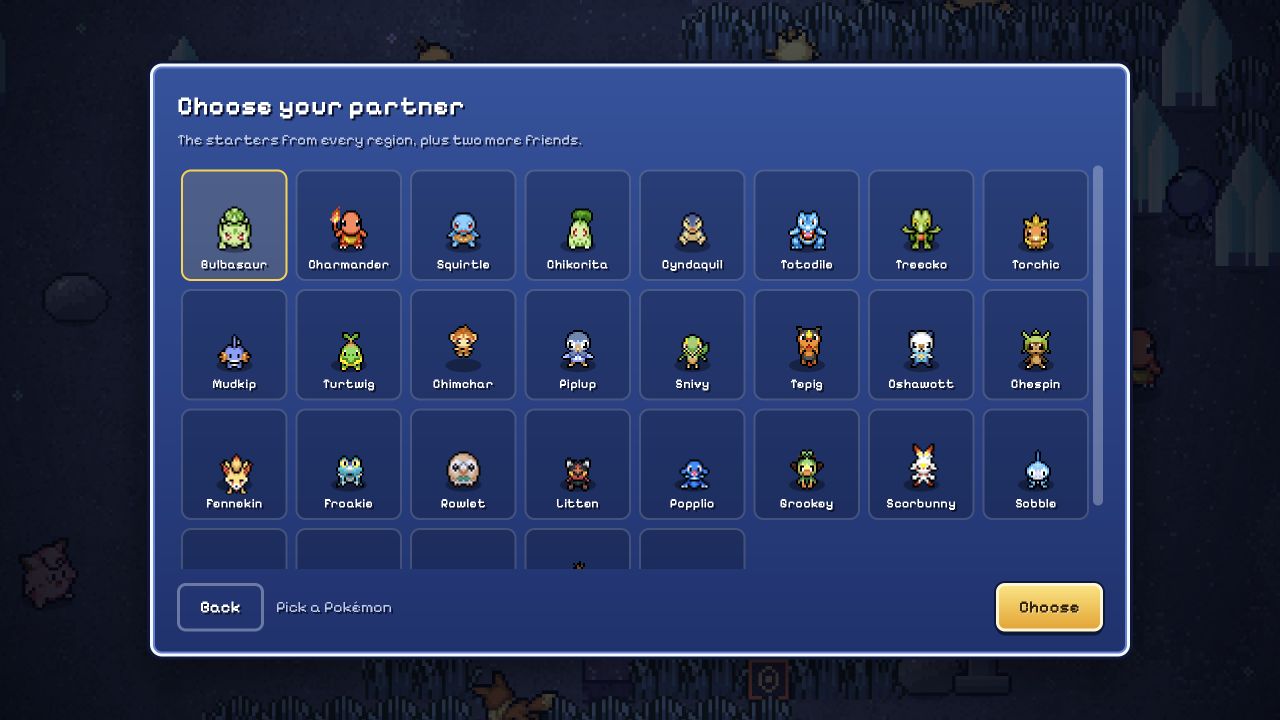
PokeSurvivor lets you pick your own starter
2Choose someone you like
You can accept the recommendation or use Choose another. The PokeSurvivor starter screen offers Pokémon from different generations, alongside Psyduck and Slowpoke. Pick a partner you want to learn rather than chasing an untested best choice. Confirm your PokeSurvivor selection to reach the main menu; you can explore the roster there.
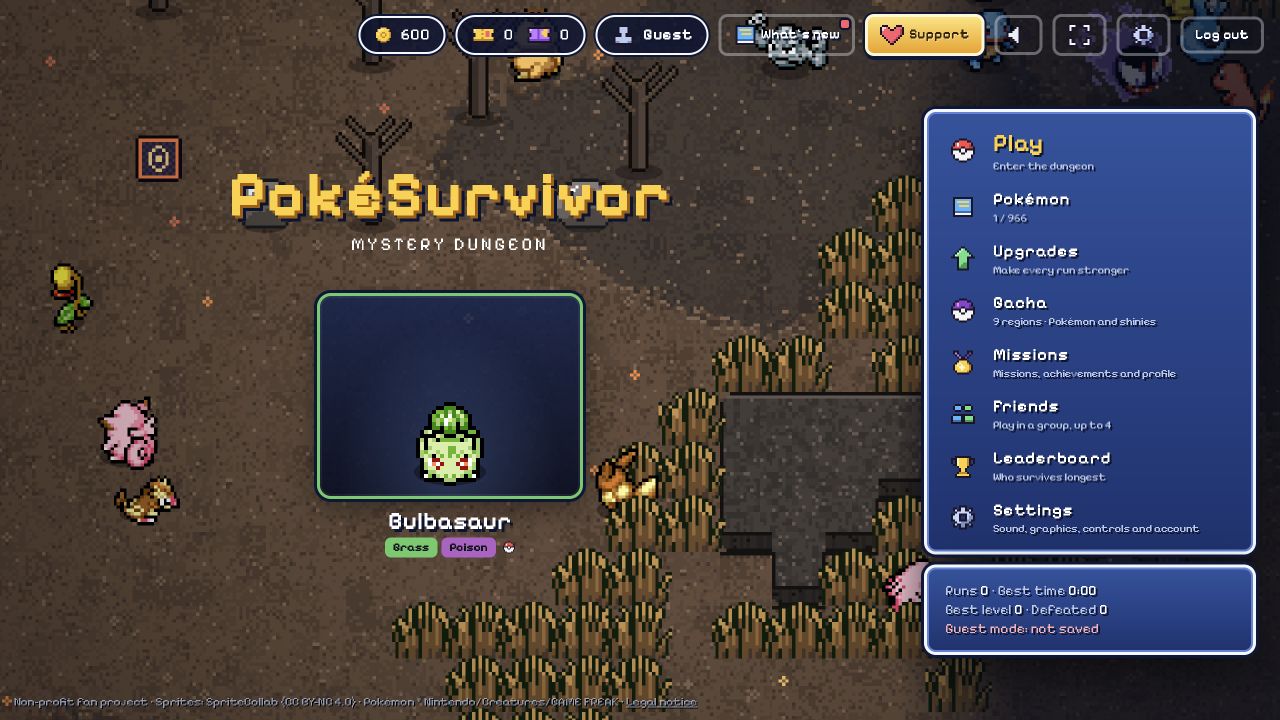
The PokeSurvivor menu is your home between runs
3Play, move, and pay attention
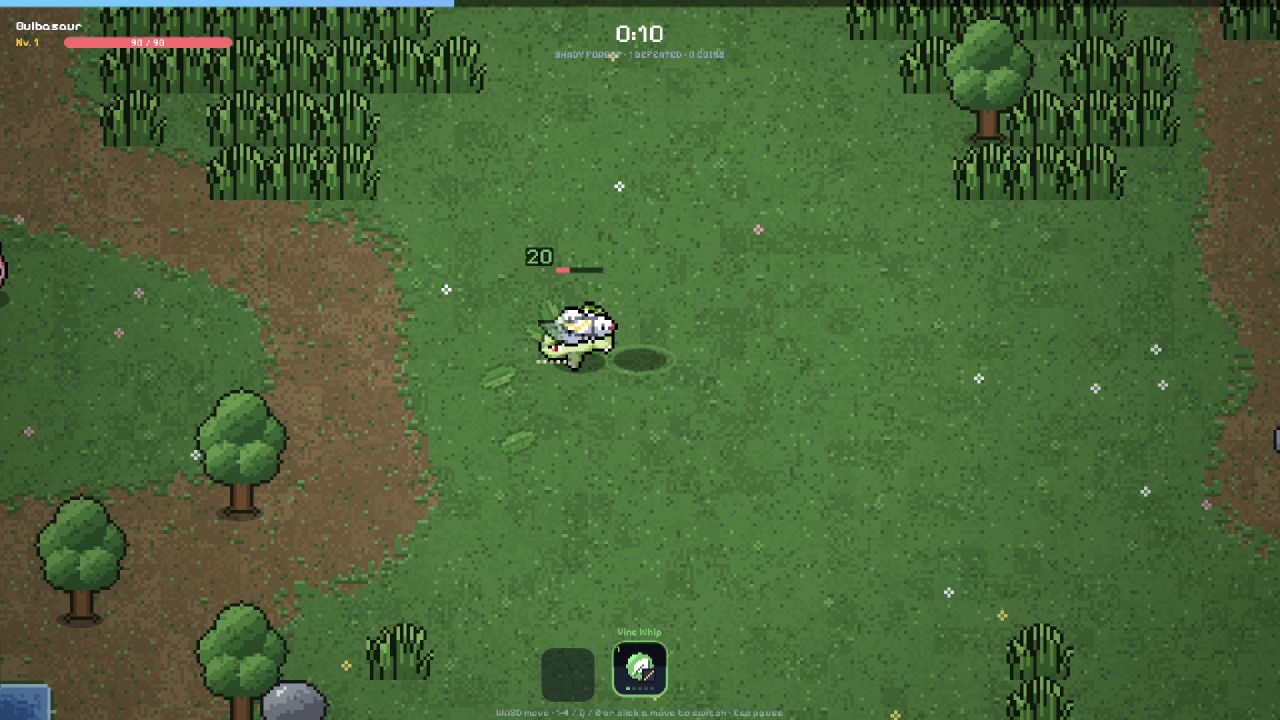
Select Play in the PokeSurvivor main menu. Click the arena so your keyboard input reaches the game, then move with WASD or the arrow keys. Your current PokeSurvivor move attacks automatically. In our Bulbasaur run, Vine Whip handled nearby enemies while movement kept the partner clear of danger. Press Esc when you need to pause.
PokeSurvivor beginner tips.
Better next runs.
A useful PokeSurvivor beginner strategy starts with observing the game, not memorizing a tier list. Give yourself a simple goal for the next attempt.
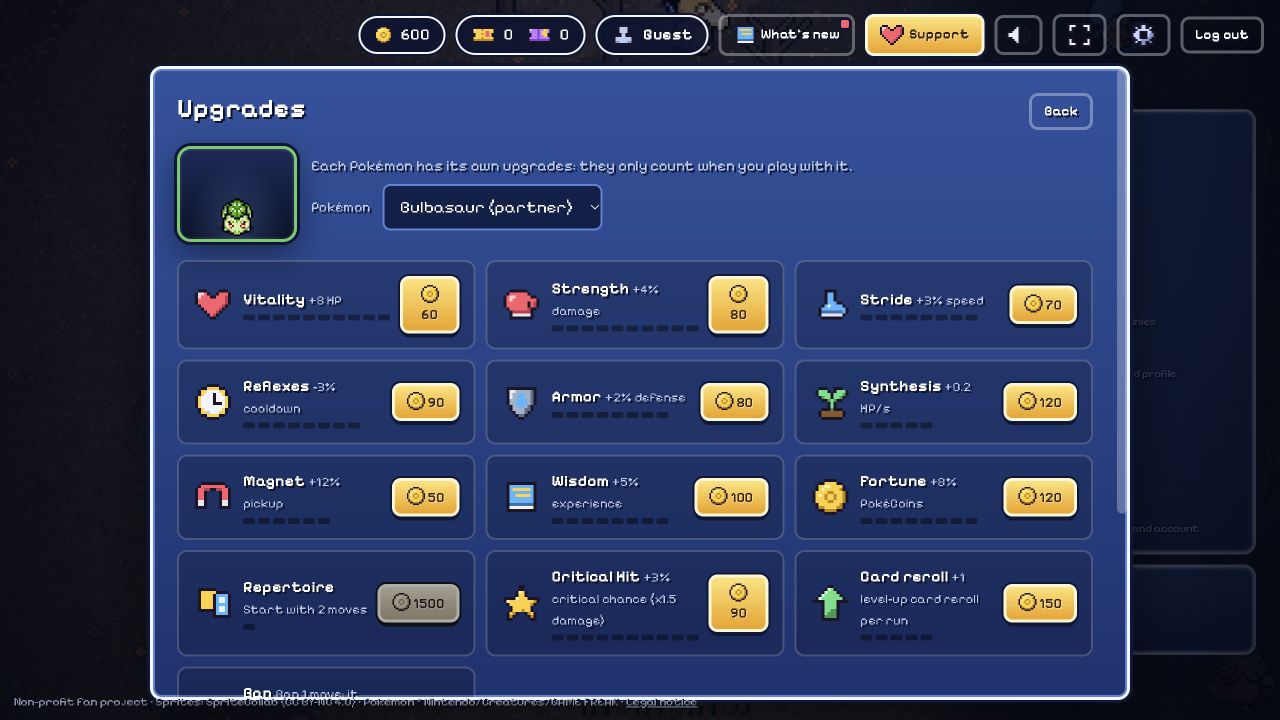
PokeSurvivor permanent upgrades · actual screen
Keep an escape route open
Because attacks are automatic, movement is your most constant decision in PokeSurvivor. Watch where enemies gather and avoid walking into a crowded pocket just to hit one target. Try a wide route through open space. When the PokeSurvivor arena gets difficult, pause and read what is happening before making your next move.
Learn one move before switching
PokeSurvivor lets you select move slots with 1–4 and cycle them with Q or E. Notice the reach and timing of your current attack before switching repeatedly. A clear understanding of one move is more useful on a first run than changing options without seeing their effect. On touchscreens, tap the displayed move instead.
Read upgrades before spending
The PokeSurvivor Upgrades menu shows permanent improvements and their coin costs for the selected partner. Inspect the descriptions and balance before buying. Permanent progression is separate from the choices within a run. Remember that the guest session does not save your progress; use the original game’s account options if you want to keep building over time.
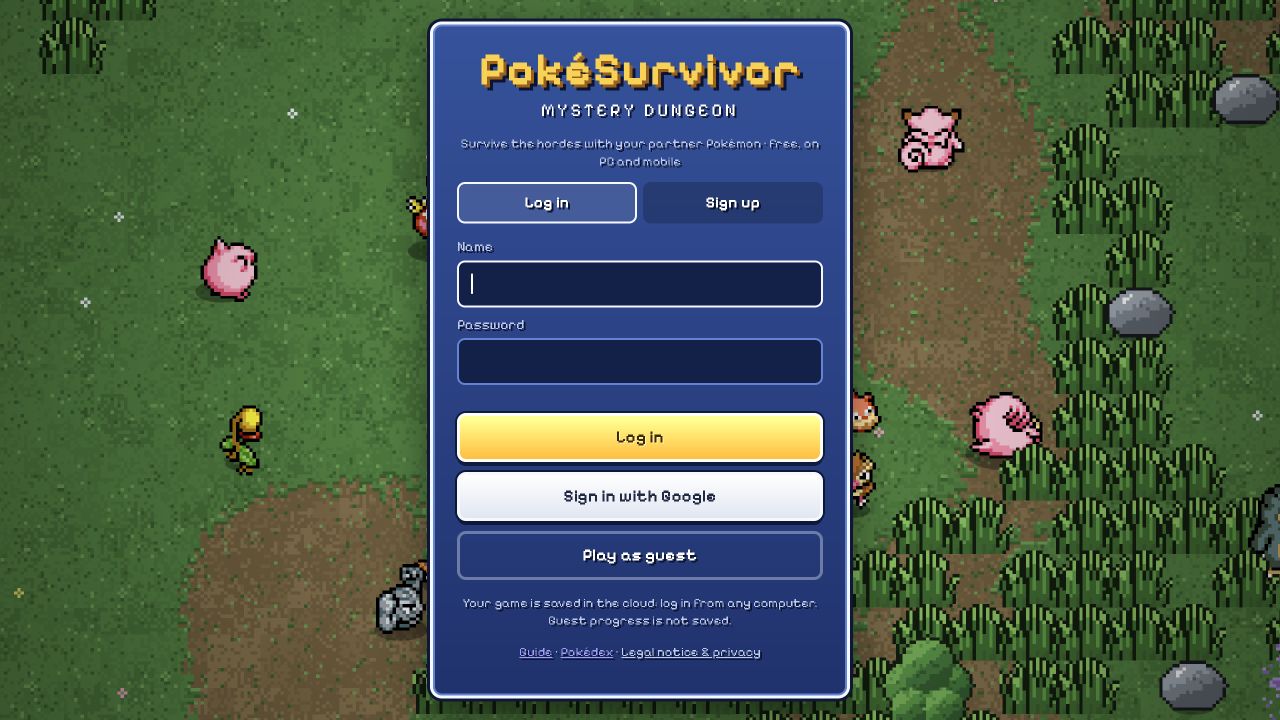
PokeSurvivor clearly labels the guest save limitation
Your PokeSurvivor progress matters.
The current PokeSurvivor guest screen explicitly warns that guest progress is not saved. Guest mode is a way to try the game, not a promise that upgrades or unlocks will survive after you leave. Do not treat a page refresh, a closed tab, or a different device as a reliable way to continue a guest session.
The original PokeSurvivor guide describes account-based cloud saves. Those accounts belong to the original game, not this independent website. If sign-in or saved progress behaves differently inside the embed, open PokeSurvivor directly and check the account there. Browser privacy settings can affect third-party frames, and we cannot read or repair your original-game save.
PokeSurvivor loads from the creator’s site. These checks help separate a control issue from a loading issue without risking an active run.
Keyboard not moving?
Click inside PokeSurvivor first, then try WASD. If the page scrolls when you press arrows, the keyboard focus may still be outside the PokeSurvivor game. Pause before leaving the arena. Fullscreen changes the display space; it does not replace the game’s own controls or automatically pause a run.
Playing on your phone?
The original PokeSurvivor guide recommends landscape orientation. Turn your phone sideways, drag within the arena to move, and tap the move display to switch attacks. Use the game’s pause control when needed. If your browser refuses fullscreen, this page expands the player instead; the original game can also be opened directly.
Blank screen or slow loading?
Give PokeSurvivor a moment to load, check the connection, and review blockers that may stop the original domain. If needed, use Open original game to test outside the iframe. Reload is available after starting, with a warning about losing the current run. The PokeSurvivor iframe loading does not guarantee every account or multiplayer feature works in your browser.
Good questions, quick answers.
Is PokeSurvivor free to play?
The creator presents PokeSurvivor as a free browser game with no in-app purchases. This page does not charge for launching it. You can choose Play as guest in the original game to try a run before deciding whether to use its account features.
Do I need to download PokeSurvivor?
No download is needed for PokeSurvivor here. The Play button opens the creator-hosted browser version within this page. Internet access is required to load PokeSurvivor. Any downloadable or offline version has its own setup and save behavior, so do not assume it matches this online guest session.
Can I play PokeSurvivor with friends?
The original creator and guide describe cooperative PokeSurvivor games with up to four players. Use the original game’s social and room controls for that feature. This website does not host its multiplayer service, and group connectivity can depend on browser permissions and network conditions. Open the original site if the embedded flow causes trouble.
Which PokeSurvivor starter should I choose?
For a first PokeSurvivor run, choose a Pokémon you enjoy and learn its starting move. The personality quiz recommends a partner, and Choose another lets you change it. Our walkthrough used Bulbasaur; that is a tested example, not proof that it is the strongest starter or a universal best build.
Does PokeSurvivor save my guest progress?
The current online PokeSurvivor guest interface says progress is not saved. Use the original game’s account options for the cloud-save feature described in its guide. We cannot access those accounts or saves. Before closing a long session, check your status in the original game rather than relying on this page.
Is this the official PokeSurvivor website?
This is an independent PokeSurvivor fan page with an embedded version of JPTER78’s original game. The game, screenshots, accounts and gameplay belong to their respective creators and rights holders. For release announcements, support and full credits, follow the original creator links below.